
Multi-connection downloads
Up to 32 connections work on the same file. When one of them finishes its part, it takes half of the largest part left, so no connection stays idle.
Download accelerator
File Download Manager splits each file into fragments downloaded at the same time, then joins them. Large files — ISO images, games, videos — arrive much faster, and an interrupted download resumes where it stopped.
Free forever. No account, no ads, no bundled software.
Up to 32 connections work on the same file. When one of them finishes its part, it takes half of the largest part left, so no connection stays idle.
Connection lost, PC asleep or restarted: the download continues from the data already received, with automatic retries. No need to start again from zero.
Queue your files, choose how many download at once, start the queue at night and limit the speed when you need the connection for something else.
Get started
Install File Download Manager and add the extension to your browser.
TutorialClick a download link: a window shows the name, the size and the folder of the file.
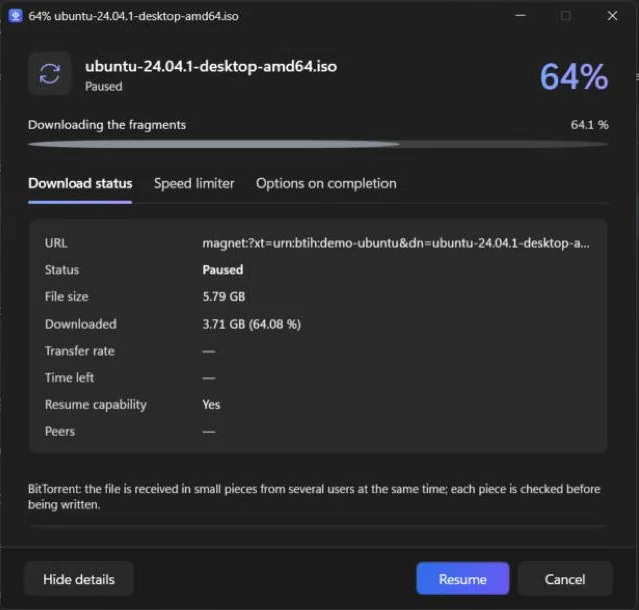
Click “Download”: the progress window shows every connection at work.
FAQ
It depends on the server and on your connection. When a server limits the speed of each connection, using several connections at once can multiply the speed. If your line is already used to the full, the gain is smaller.
Multi-connection downloads need a server that accepts range requests, which most do. Otherwise the file is downloaded with a single connection, and still resumes when the server allows it.
Free, light and in your language. Install it in a minute.